DockStacks
Your Dock holds apps.
DockStacks holds the whole job.

US$4.99 One time purchase - No subscription
Stacks
One stack per job.
Switch the whole set at once.
Apps, folders, files and links, grouped by what you're actually doing - then a keystroke away when you need them.
Built for macOS
Native from the ground up.
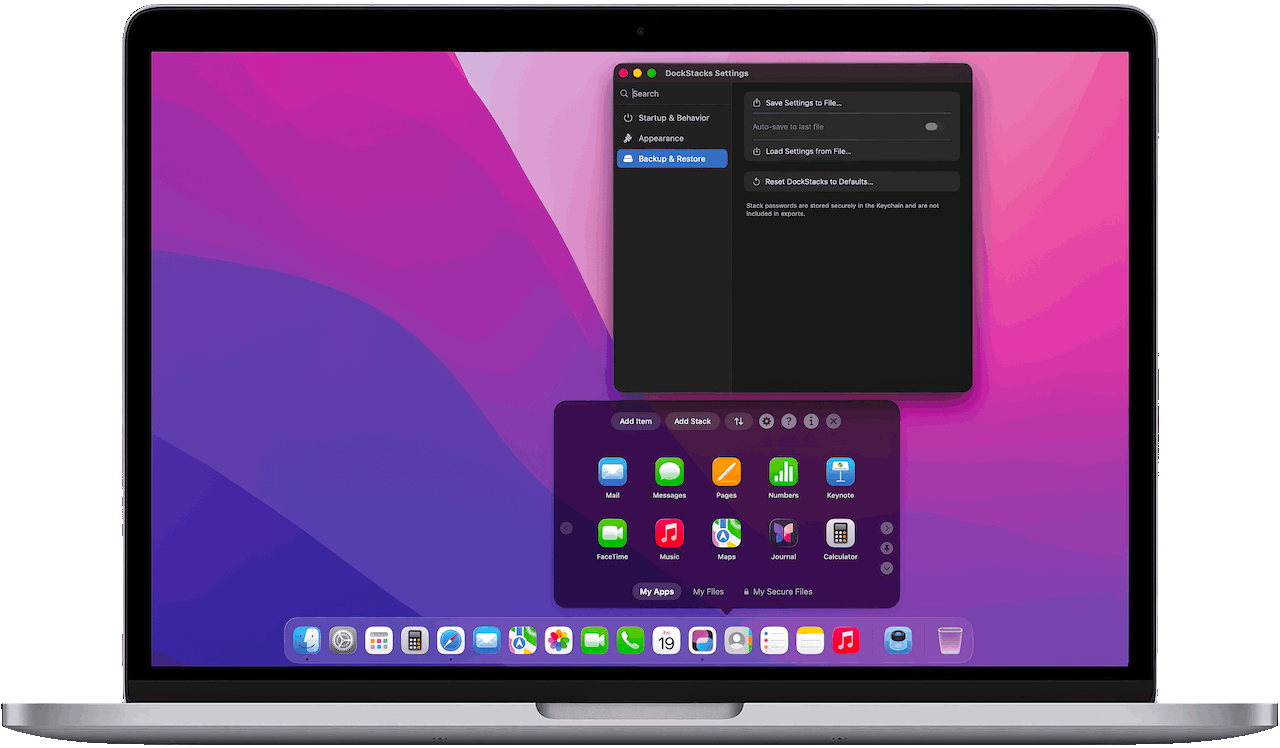
Built natively for macOS. DockStacks follows your system appearance and integrates seamlessly with the Dock’s right-click menu, making it easy to switch between stacks.
Every control
where you'd expect it.
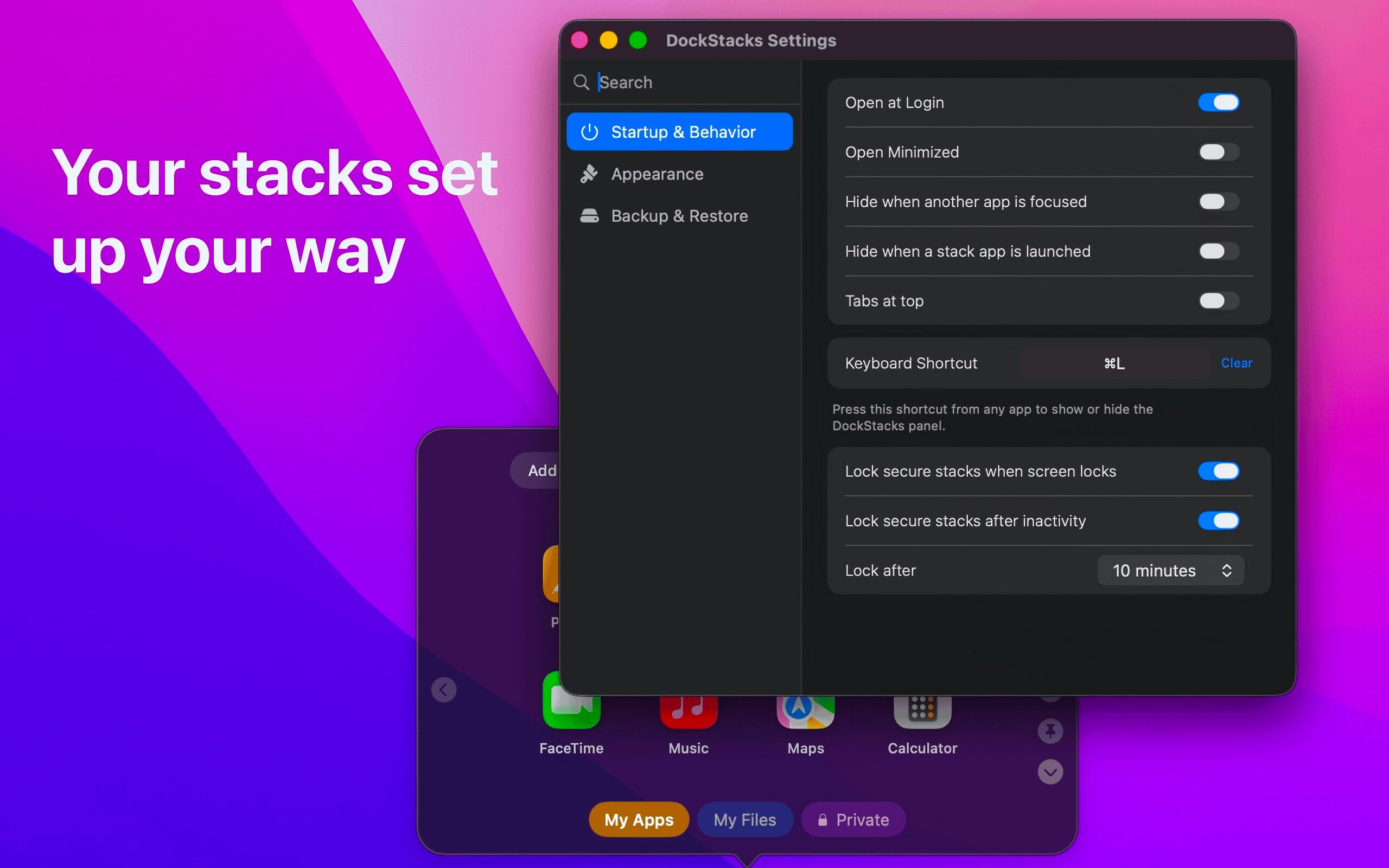
Transparency, background hue, dock or menu bar, open at login, and a global shortcut you choose yourself. Settings look and behave like System Settings, because they're built the same way.
Privacy
Nothing leaves your Mac.
No account to create, no cloud to trust. Your data stays on your Mac.
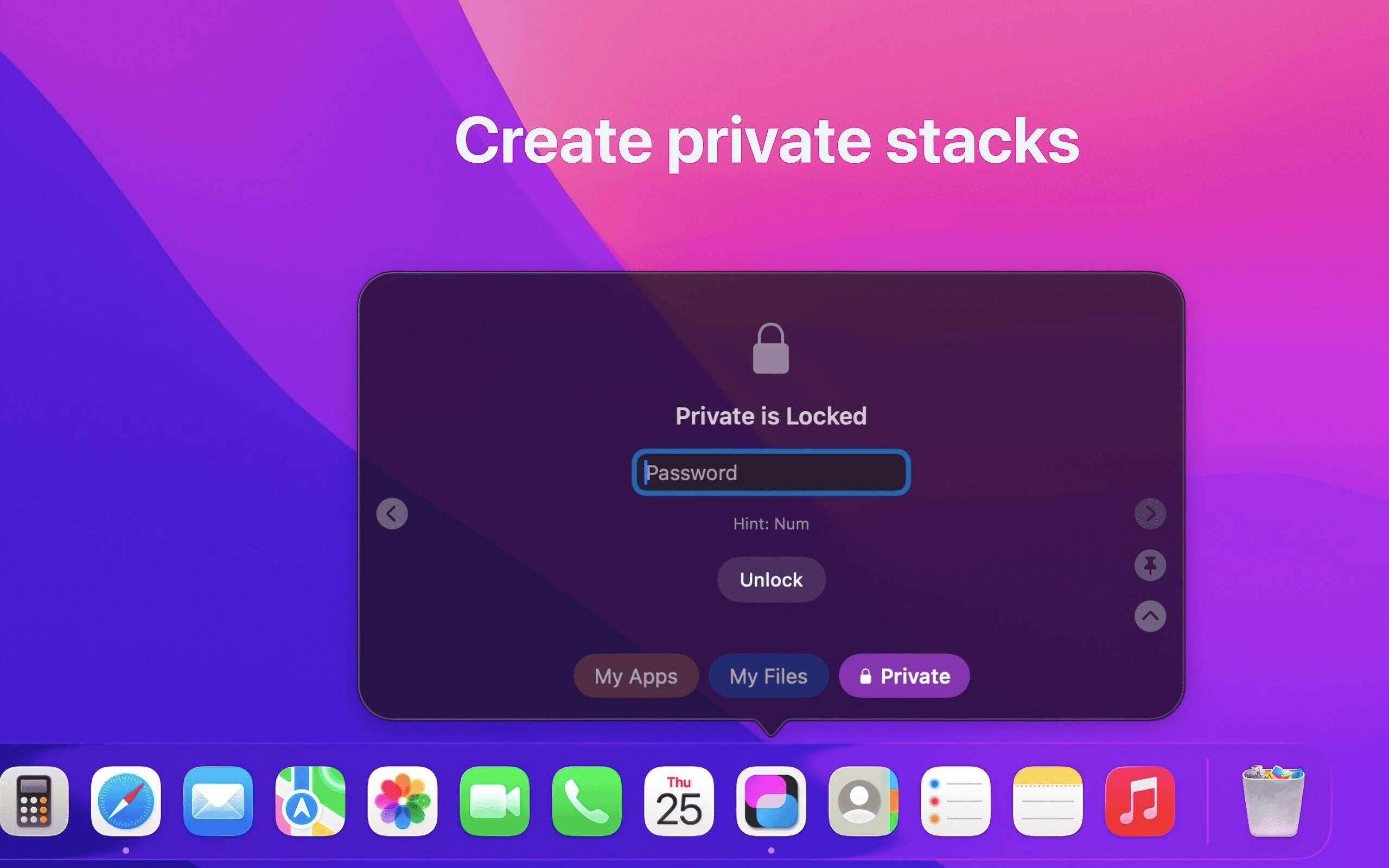
Lock a stack.
It stays locked.
Password-protect individual stacks, stored in the macOS Keychain. They re-lock when your screen locks, or after a set idle time.
Pricing
Ready to declutter
your dock.
No subscription. One-off purchase, yours across every Mac on your Apple Account.
One-time purchase
US$4.99
Unlimited stacks
Password-protected stacks
Transparency and hue controls
Global keyboard shortcuts
Requires macOS 13 or later. Use DockStacks on every Mac signed in to your Apple Account. Price shown in American dollars.
Common Questions
Good to know.
Support
Ask Anything.
Bug reports, feature ideas, or a question before you buy - it all comes straight to us. We aim to respond in 48 hours.


DockStacks Privacy Policy.
Effective date: 28 August 2026
Minor corrections: The word 'shelf' replaced with the word 'stack'DockStacks respects your privacy. This app is designed to work locally on your Mac.
1. Information We Collect
DockStacks does not collect personal data through the app itself
DockStacks does not create user accounts
DockStacks does not use analytics, tracking, advertising SDKs, or third-party telemetry
2. Data Stored on Your Device
Stack names, app shortcuts, layout, appearance settings, and app preferences are stored locally on your device
Stack passwords are stored securely in the macOS Keychain
Passwords are not stored in plain text by the app
3. Data Sharing
DockStacks does not sell, rent, or share your personal data
DockStacks does not transmit your stack data or passwords to external servers
Information submitted through the Support page is used to respond to your query and is not sold or shared for advertising purposes
4. Internet and Network Use
DockStacks is designed to function without requiring an account or cloud backend for core functionality
If future features require network access, this policy will be updated before release
5. Permissions
Accessibility permission may be requested so DockStacks can align its panel behavior with the macOS Dock experience
You can deny or revoke permissions at any time in macOS System Settings
6. Data Export and Backup
If you choose to export settings, files are created only where you select
Exported settings do not include stack passwords, these are securely stored in Keychain
7. Children’s Privacy
DockStacks is not directed to children under 13 and does not knowingly collect personal information from children
DockStacks is a local macOS app designed for general audiences and no data is collected or stored
8. Changes to This Policy
We may update this Privacy Policy from time to time
The updated version will include a new effective date
9. Contact
> Developer: Michael Edwards
> Contact Form: support@dockstacks [We aim to respond within 48 hours]
> Website: DockStacks